
Generating Templates to use with Digital Signatures
Intermediate | 20 Minutes
Business Problem
Your business creates many digital documents, but you want to streamline the process of digitally signing common documents. How can you create a DocuSign template to use with Infor Document Management?
📋 RequirementsIDM-SignatureUser role * DocuSign account |
Tutorial
Infor Document Management allows you to use DocuSign templates connected to your DocuSign account and combine it with documents sent from IDM.
Video Guide
Follow along in this brief tutorial on configuring DocuSign in your environment and how to use it.
1
Navigating to DocuSign
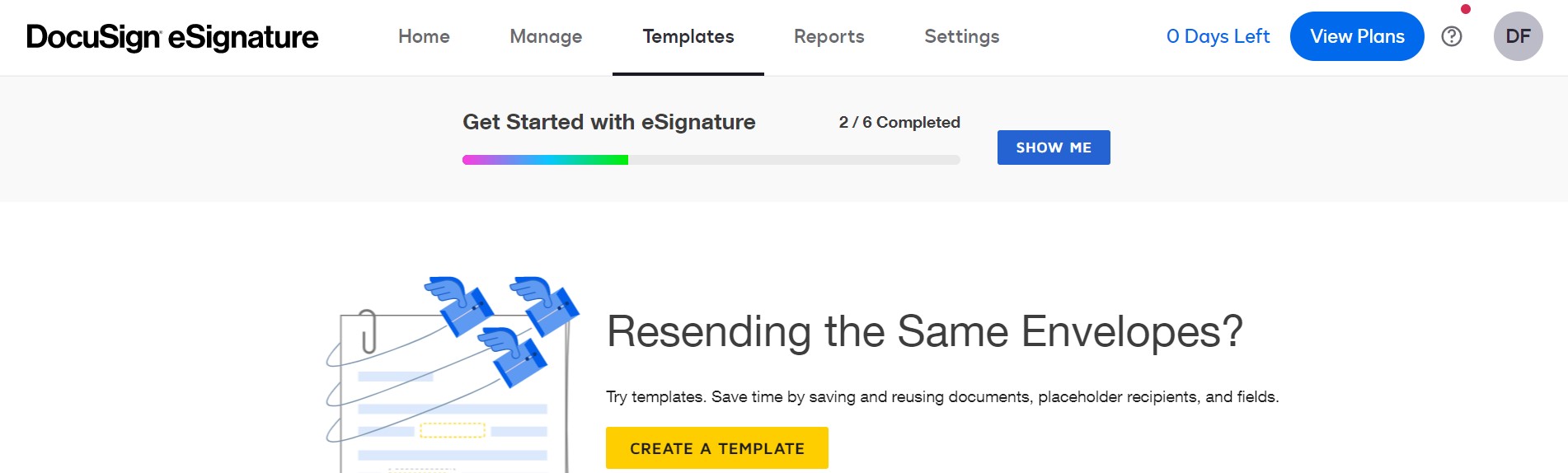
Navigate to DocuSign's website, and log in to your account, and click on Templates at the top.
2
Create a Template
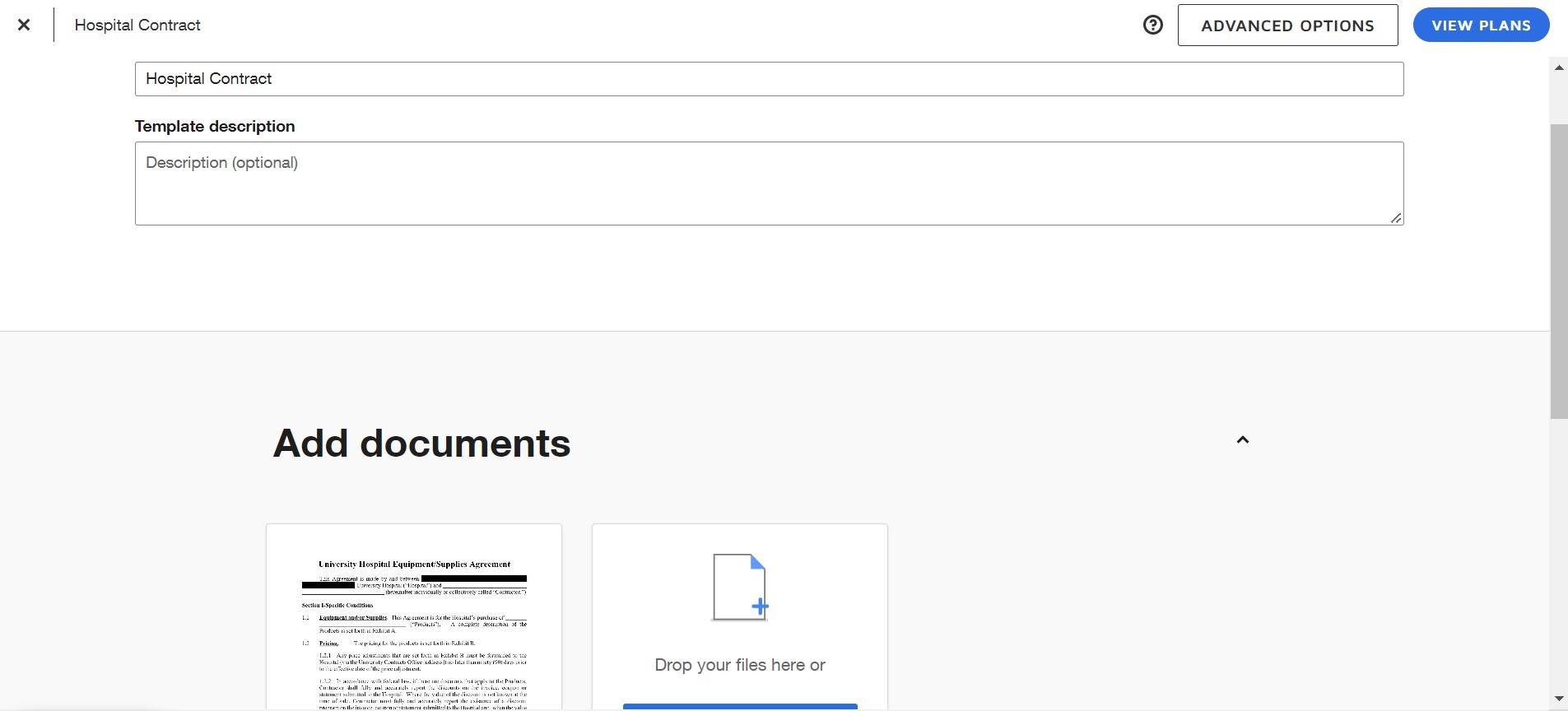
From there, click on Create a Template and you'll be shown this screen. The name of the template will be shown in IDM when you're selecting one so choose a name that's easy to understand and upload the document(s) that'll correspond with that template. In this example, I'll be using the hospital contract that I use in the DocuSign in IDM video.
3
Filling out Signature Fields
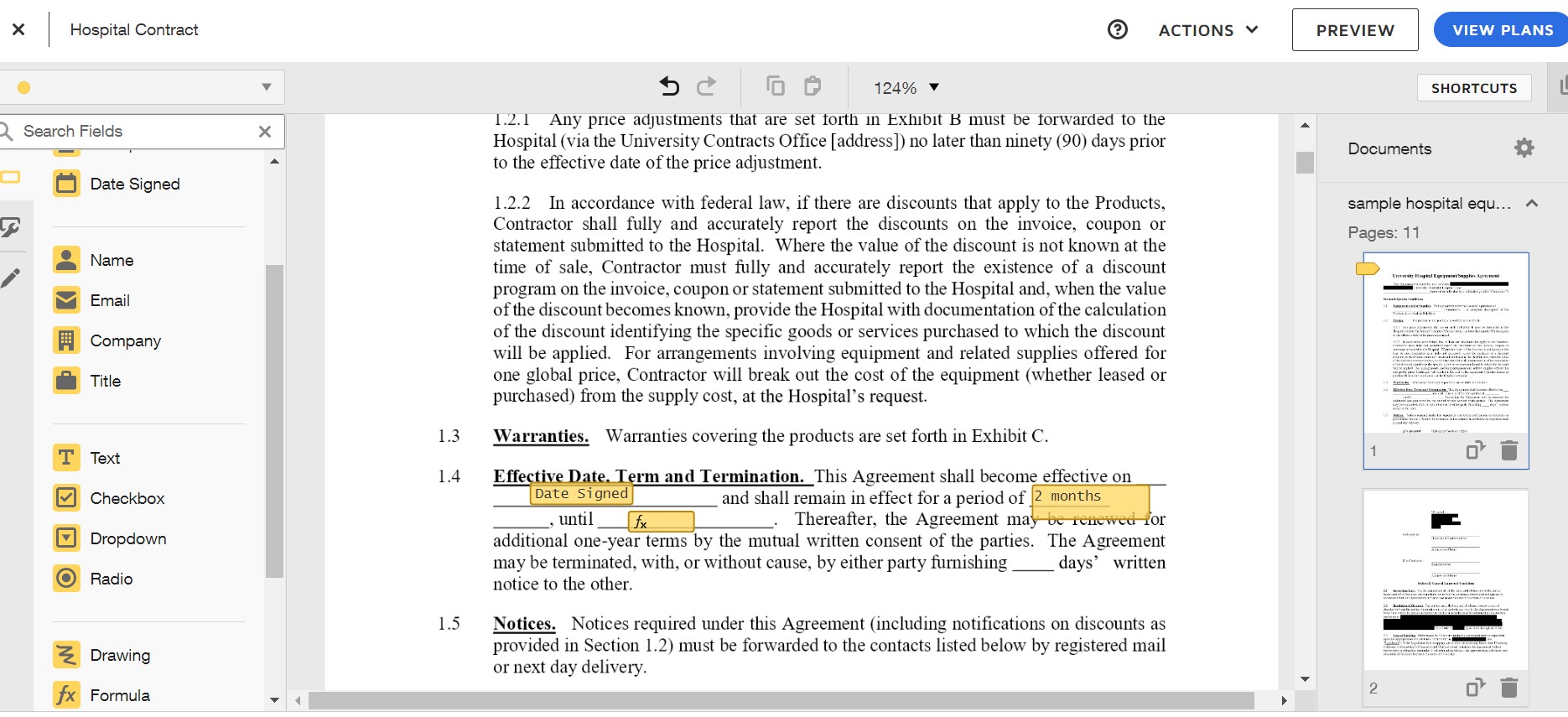
Next is filling out the information of this contract and where you'd like the recipient to sign. A lot of the data can be auto filled such as "Date Signed" and you can even put some formulas down like the picture below shows. This allows you to have the document easily customized for your customer, including dates, duration of the contract, company name, and more.
4
Using Template
When you upload a document and click Signature you'll be shown this screen. The drop down arrow below "Choose Template" allows you to choose from the templates under your DocuSign account.
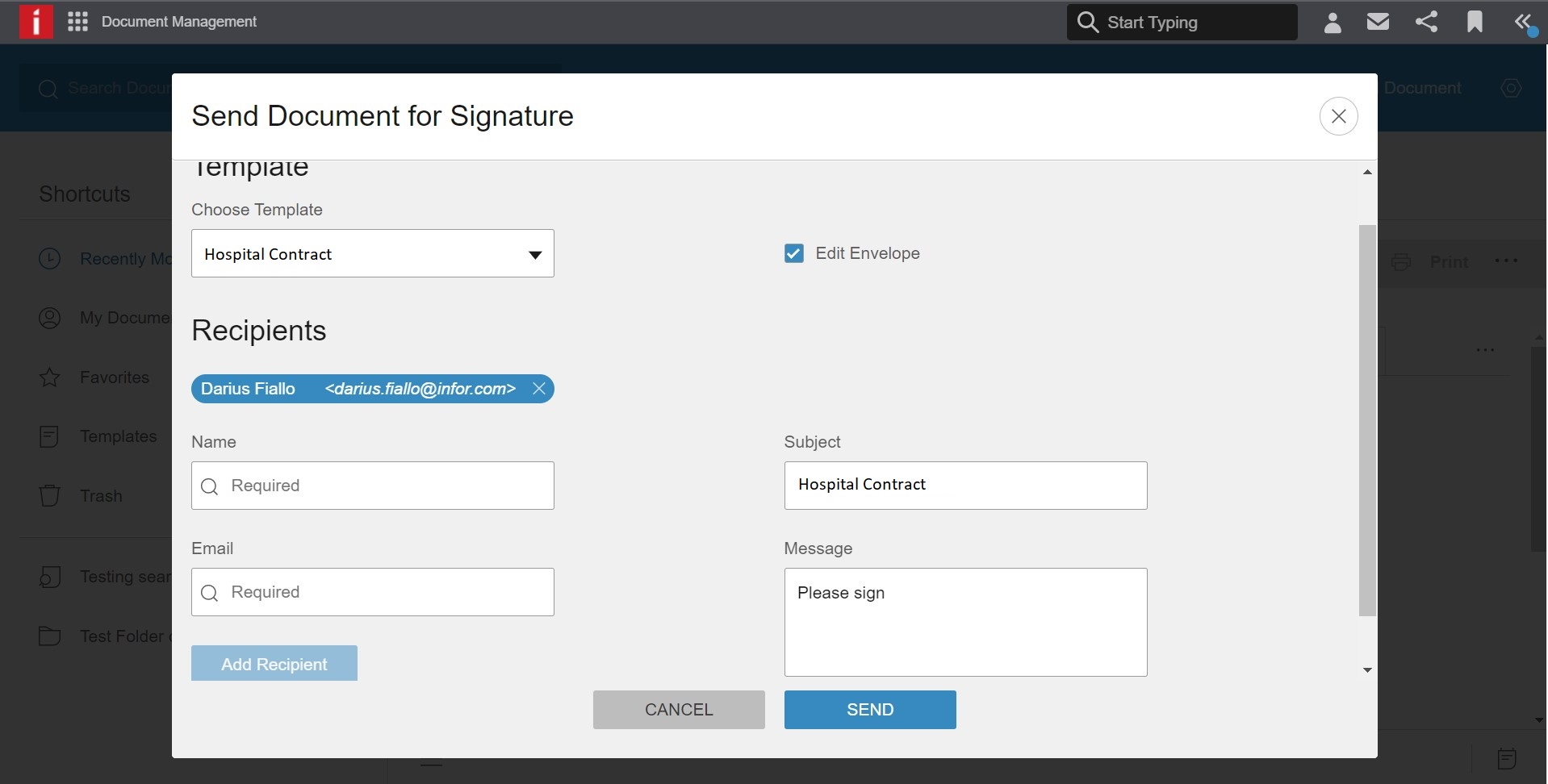
Edit Envelope is checked here but for best business practices you'll want that unchecked almost always. The reason for that is because it allows the recipient of the document the ability to change the documents prefilled data that you set up earlier. It would allow them the ability to sign anywhere, change the dates, change the duration of the contract, or add whatever they please to the document.
Troubleshooting
For additional info on how to send a document or enable DocuSign integration in your environment, please refer to the DocuSign in IDM video linked at the beginning of this tutorial.
For a more in-depth guide on making templates in DocuSign, please refer to DocuSign's own advanced template guide here.
On this page
- Generating Templates to use with Digital Signatures